
Posts mit dem Label WebGL werden angezeigt. Alle Posts anzeigen
Posts mit dem Label WebGL werden angezeigt. Alle Posts anzeigen
28.02.2016

26.10.2015
Recent Three.js demos
Graph VR app is now somewhat featurecomplete. Waiting for continuation inspiration now. :) https://t.co/1siZb7DjJZ pic.twitter.com/Lqtqz47C4C
— ♇4n3 (@Pl4n3) September 30, 2015Made a quick #threejs test, inspired by 'Monument Valley' game. #javascript https://t.co/sxQEWRsdPv pic.twitter.com/mnN4jjAENg
— ♇4n3 (@Pl4n3) October 22, 2015Extended #threejs demo: Map is single mesh, editable (import/export) and npcs run around. https://t.co/yvXIR9IUfN pic.twitter.com/4vgwD58o0Y
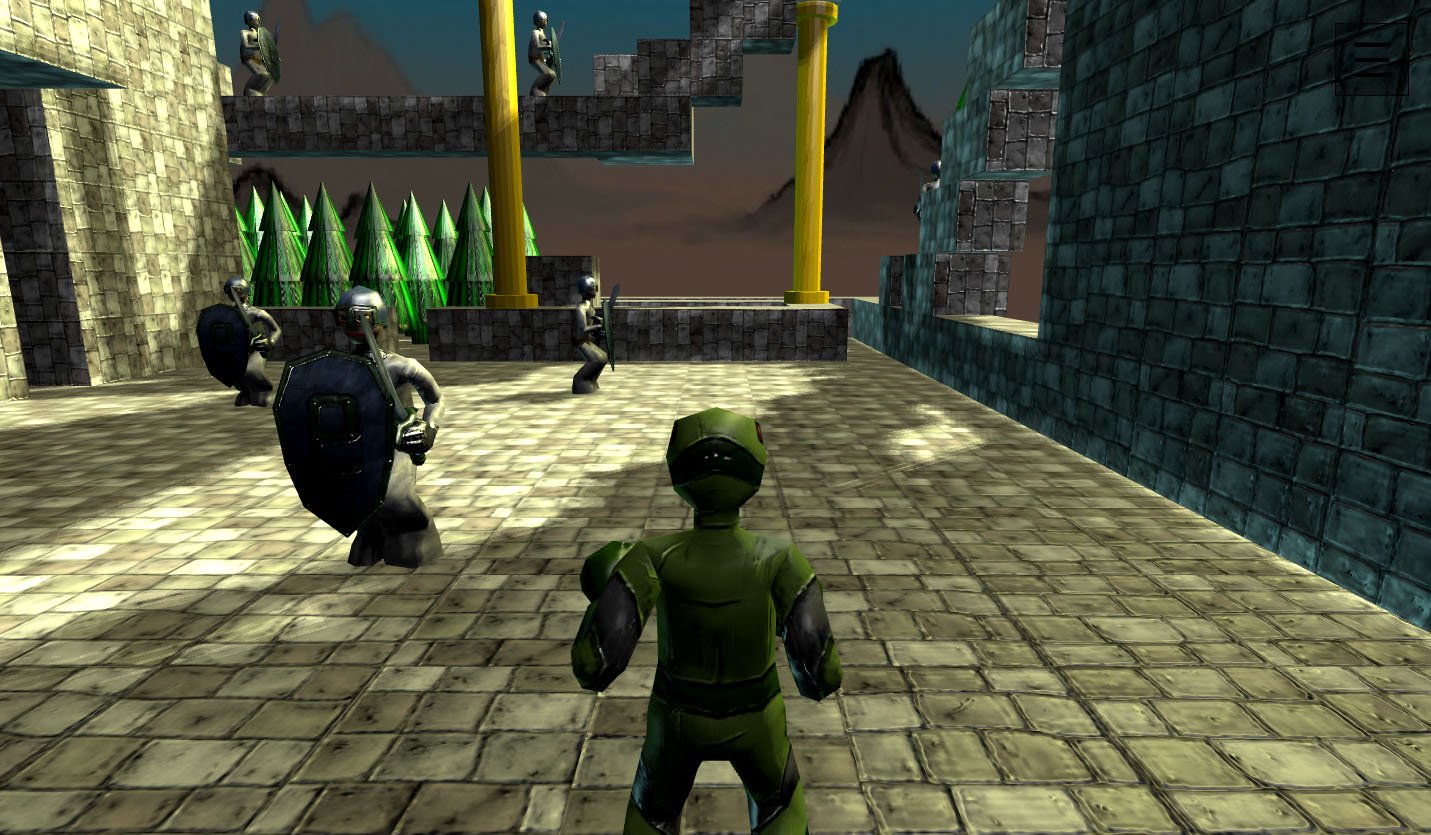
— ♇4n3 (@Pl4n3) October 26, 2015In time for Halloween the #threejs demo got more detail/spooky gfx. Procedural maps are fun. https://t.co/diYHFTmXsA pic.twitter.com/8KIWOHVxaH
— ♇4n3 (@Pl4n3) October 27, 201505.05.2015
Gree - 3d graphs (of json or javascript)

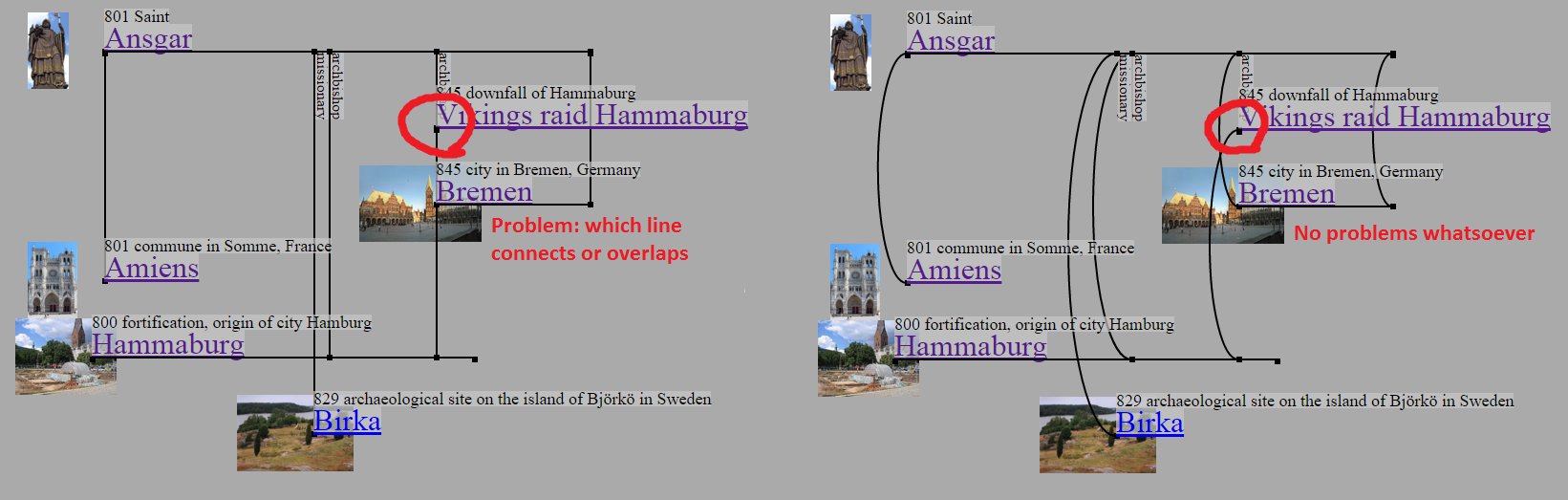
 Experimenting on a new project called 'Gree' (from GRaphs with thrEE.js) to display and edit 3d graphs of json data or sourcecode. Motive is, that complex interconnected networks are difficult to display in 2d, e.g. edges overlap. 3d should improve visibility. To best utilize this, stereoscopic view (e.g. via vr device) is needed, since else the graph stays 2d projection. Currently there are 2 applications. The first is a general 3d graph tool. Graph data is represented and editable in json format. The graph can be modified by dragging its nodes.
► Gree Json
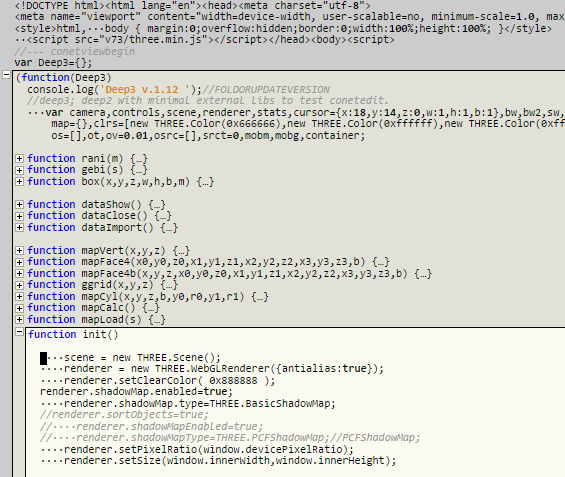
 Second application generates 3d graphs of javascript sourcecode and vice versa. Why make 3d graphs of sourcecode? Code (display/editing) can be in a way redundant, because everytime a function is called, its name must be written. So a function name can appear multiple times. Alternatively a function could be represented as graph node (its name only displayed once) and everytime it is called, an edge to that node is drawn. This project tries to go that direction. Here an edge between 2 function nodes is drawn if one function is called from the other. For complex code with lots functions this can give a quick overview of code semantics. 3d positions of nodes are stored as comments above related functions. If the graph is modified by dragging its nodes, javascript can be generated with updated position comments. Javascript is parsed with acorn.js and generated with escodegen.js.
► Gree Javascript
31.01.2014
cutout.js - Game Test

- Canvas or WebGl renderer via menu
- Stereo WebAudio synth effects
- Particle system
- Various controls depending on system and browser: keys (wasd,cursor,ctrl), mouse, touch or gamepad
►Start game
►Github repository
06.11.2013
Wloom 15: bullet.js (and Web 3d editor update)

- A first test is a fight game demo (subtitle: High art of low punches).
- The physics library simulates a physical virtual reality. Another virtual reality layer can be added by using Oculus Rift renderer and device. -> VR²
- With oculus, canvas hud overlay isnt sufficient anymore, thus a 3d hud with canvas texture is added.
- In the web editor, press menu 'A.toggle' to see animation and physics.
►Start web editor


04.10.2013
Wloom 14: WebGl Run
 This WebGl game demo is inspired by Temple Run and similar games. The protagonist runs along beziercurves, must collect gems and avoid foes. The demo ought to run smooth on mobile devices using simple WebGl rendering and on desktop with more graphics effects via three.js or glge. A various number of input controls is supported (if device and browser has it): keyboard, mouse, touch, tilt and gamepad.
►Start
 Update 9.10.2013: Got an oculus rift device and added a Three.js render mode for it. If you have the device and a browser plugin installed, virtual reality is there.
11.09.2013
cutout.js - Javascript Cutout Animation

 This project provides javascript cutout animation, inspirated by Monty Python and others. A first case study is a swinging Mona Lisa. Click the links to start the animation or to browse the project at github.
►Start canvas 2d
►Start webgl
►Github repository
Some notes on how the project was developed.
- At first there was the canvas 2d version. For browsers, that dont have hardware accelerated sprites, and to compare performances, a webgl version was implemented.

- Another canvas demo, which tests performance of transparent transformed sprites and was made before the cutout project, is here.
- The cutout segments are drawn using matrix operations. The canvas 2d api originally didnt had a method to read a current matrix. This is added currently (context.currentTransform). Until it is in every browser, own matrix manipulation using vecmath.js is done.
- Cutout segments are taken from one partly transparent image. It was drawn with the web paint app and following steps:
- The canvas-width of the original Mona Lisa image was doubled (Menu/Edit/Dimension), so that the original image is on the left, transparency is on the right side.
- Cutout segments were cut from the original image (Menu/Tools/Rect) and copied to the right side. Then transparency around them was drawn with Menu/Tools/Eraser.
- Finally, when all segments were done, the original image needed to be changed so that it constitutes the background. To dont have to draw new background, where Da Vinci didnt bothered, there is Menu/Tools/CopyBrush. With this tool the original background areas were multiplied, so that they covered the whole image.

24.06.2013
Wloom 13: Three.js

To demonstrate the new renderer, there is a new walkable level and some randomly moving mobs. The level architecture and texture was done using the Web 3d Editor of previous blogpost. For next version, Wloom 14, more advanced level structure and full gameplay is planned.
►Start demo

03.05.2013
Wloom 12: New Mobs
 This WebGl game demo contains a new map and new mobs. A focus is improved usage of gamepad or touch controls by applying autofocus during fights. Moving left/right then moves around the focussed mob.
►Youtube
►Start demo
09.02.2013
Wloom 11: Slenderman tribute

►Youtube
►Start game (WebGL enabled browser)
16.12.2012
Wloom 0.10: Desktop and Nexus 7

►Youtube
►Start demo (WebGL enabled browser, on Nexus 7: Firefox Beta, Opera mobile, Chrome beta with flag set)
This is probably the last blogpost
Update 8.1.2013: Added improved menu and gamepad support. Gamepad works here with Chrome on Desktop. So now the demo runs on desktop and mobile with either keyboard and mouse, touch or gamepad controls. Its a nice level of 'write once, run everywhere'.
Update 26.1.2013: Chrome beta for android with easy WebGl access is now released. There, lowered resolution is no longer necessary since fps stays high on high resolution. Graphics shows performance of different browsers on Nexus 7 at different resolutions. Added a fullscreen menu item. On Nexus7 it works only with Chrome beta.

22.08.2012
Wloom 0.8: Demon forest

- Spooky environment and gameplay: Fight demons and survive.
- Better sound via freesound.org.
- A shotgun.
- Update: Uses html5 fullscreen and pointerlock abilities.
►Start demo (WebGL enabled browser, no IE)
30.11.2011
Wloom - WebGl game, work in progress #7

- Jump&run-gameplay is introduced.
- Core game abstraction. To ensure that the gameplay is working well and for better testing, the core game is a standalone module, which can be applied to different renderers. Wloom7 is essentially a webgl renderer for the core game. There is a second, very simple renderer, which displays the game as blocks on a canvas.
- The design of the npcs is inspired by Starcraft2-banelings.
- There are new sounds, made with sfxr.
►Youtube
►Start demo (Chrome 9+, Firefox 4+)
►Start simple core game canvas demo
13.08.2011
Wloom - WebGl game, work in progress #6
 WebGl game Wloom version 0.6 is here.
►Youtube
►Start demo (Chrome 9+, Firefox 4+)
Changes:
- New content: map and templar model
- Basic scripted cutscenes. They are defined in a external map-script-file (same as AI,...), thus dont strain game core.
- Minor changes, e.g. in previous version the whole map mesh was used for collision calculation. Now there is coarse collision mesh and a more fine-grained visible mesh.
12.06.2011
Wloom - WebGl game, work in progress #5
 WebGl game Wloom version 0.5 is here.
►Youtube
►Start demo (Chrome 9+, Firefox 4+)
Changes:
- Latest version of GLGE library and a new feature of it, shadows on direction lights, is used. The issue of previous Wloom version, where shadows didnt work with Firefox 4, is resolved.
- The Wloom demo this time is basically a complete game, where you can win or loose, with UI. The game logic is pacman-like: You have to collect gems, but must avoid monsters. This time isoperspective is used. Game logic and ai is loaded dynamically from an own script file. As result Wloom represents a flexible base for various kind of games. The UI is done via CSS and also completely from external scripts.
- A new rendering mode 'Magic3d' is added. With it the scene is drawn twice, side by side, with camera offset. Now, if you cross the eyes, scenes should appear in 3d. All in all there are now 3 rendering modes: Glge, Simple and Magic3d.
12.04.2011
Wloom - WebGl game, work in progress #4
 WebGl game Wloom version 0.4 is here.
►Youtube
►Start demo (Chrome 9+, Firefox 4+ shadows currently dont work with ff here, this is under investigation..)
New features:
- GLGE library use. With this lib better gfx is possible. The use of the library is optional and can be toggled with a checkbox. So there are now 2 selectable gfx passes, the feature-rich GLGE one and the simple original. Thus the game should run on fast and slow computers. Maintaining different gfx passes helps to isolate gfx logic from game logic and thus should result in better programmcode. With GLGE there are following new gfx features:
- Lights & shadows,
- Normal-, specular- and diffusemaps,
- Particle effects.
13.03.2011
Wloom - WebGl game, work in progress #3
 Finally there is a new version of the WebGl game Wloom.
►Youtube
►Start demo (Firefox 4+, Chrome 9+)
Following new features:
- Skybox (the one I wrote about in a previous blogpost)
- New map with hills and a tunnel
- Map reiterates infinitely, thus the world does not end :)
- Basic ai (npcs move away, if they are near another character)
- Attack (key E), experimental fly mode (key N)
27.01.2011
Wloom - WebGl game, work in progress #2
There is some progress with the webgl game 'Wloom'. Current state of the project can be seen in the video or as running demo here (needs Chrome 9+, Firefox 4+). Following features have been added since the last blogpost:
- Dynamic camera (e.g. in small rooms camera moves closer, so that the view is not clipped)
- Map and model data are loaded from external files. Its format is javascript, they are loaded with dynamically added script tags.
- Html audio. Currently it sounds on my pc with chrome 9 abit buggy (it seems some samples are not played and chrome crashes after some time). With Firefox 4 beta 6 sound works better here.
- Npc scripting with javascript. Since core game and npc scripts are written in the same language, javascript, integration is straightforward and simple. The code can be stored in map- or model-files.
21.12.2010
Wloom - WebGl game, work in progress
Currently I work on a game for WebGL named 'Wloom'. It shall be fastpaced, from egoperspective, with walkable architecture, maybe an egoshooter. Initially i wanted to call it 'Gloom', but that is taken by an amiga game. So in 'Wloom' the 'Wl' is short for WebGL, 'oom' is a reminiscence to another great game. :) On the right is a video of the current state. You can test the game (with a webgl-capable browser) here. Currently you can only run around with a protagonist and watch the map. Main controls are w,a,s,d,left,right, you can also look around with mouse drag. The WebGL-canvas automatically resizes with the browser, thus the game may run fullscreen.
 With this I wish the visitors of this blog Merry Christmas and a Happy New Year. Updates on this and other projects will be posted soon, but probably not before 2011.
01.11.2010
WebGL/bullet.js Demo
 The demo shows two characters, the left is calculated using the physics library bullet.js, the right without physics. You can toggle the use of physics with a checkbox. On my Pc I get following framerates:
| with physics | without physics | |
| Chrome 8 | 19 fps | 59 fps |
| Firefox 4 beta 6 | ~17 fps (heavily varying) | 60 fps |
Its interesting, that there isnt the performance gap between Chrome and Firefox, that was observed in an earlier blogpost, anymore. The reason are improved javascript engines and webgl- instead of software-canvas output. Though the Firefox physics performance varies heavily (sometimes drops to 3fps), probably because of background optimizations, while Chrome display is smooth.
Update: bullet.js, together with this and 2 Canvas demos, is now also available here: http://code.google.com/p/bulletjs/
Abonnieren
Posts (Atom)


 Posts


